OVERVIEW STUDBOOK CARD

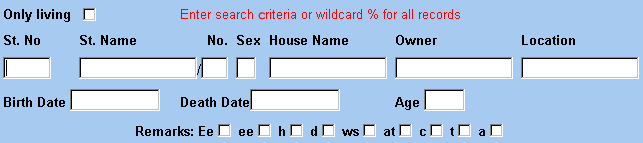
The access to the table with horses is via a searching window that has the properties as follows:
There is a check box "only living" above a selective row.
If the user marks the check box, other entered criteria will apply to living horses only.
The unchecked box means the searching criteria will apply to all horses.
Standardly, the box is empty.
Then the user enters one or more searching criteria into a row displayed below the title "Only living".

To search all horses in the list, enter the wildcard % into any of the following fields:

In order to enter new data into the form, press
St. No – horse number in the studbook

St. name/No – Shows a list of horses and contains of stud station name and sequence number of breeding, e.g.:Prague /200 means the 200th filly of the Prague breeding

Sex – sex of the horse

House Name – the name of the horse given by a current owner

Owner – owner of the horse

Location – a place, where the horse id situated now. In case you enter e.g. LOCATION = "Praha", all horses which are in Prague are displayed

Birth of Date - Birth of Date of the horse

Death of Date - Death of Dat of the horse

Age - age of the horse

Remarks - searching according to special features: Ee -fox gene carrier

ee -sorrel
h -hybrid
ws -white star
at -ataxie
c -cryptorchia
t -embryo transfer
a -atypic sign

After entering the criteria, press the button

The system will search horses according to the specific criteria and display them in the table below.

Click on a selected horse to view detailed information - STUDBOOK CARD (displayed below the table)


STUDBOOK CARD

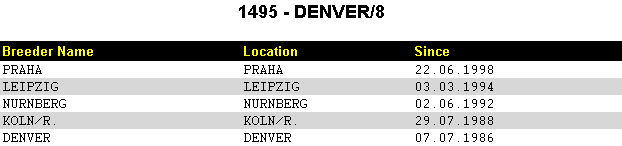
Click on in STUDBOOK CARD to view BREEDERS HISTORY
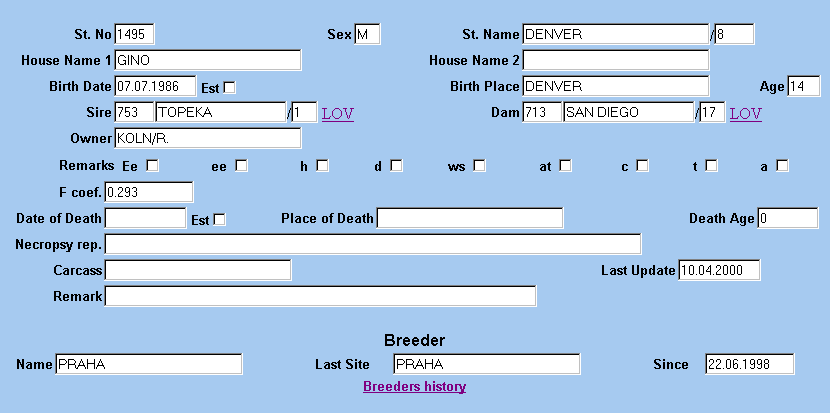
horse number in Studbook
sex can be F,M and U – undefined
displays list of horses and contains stud station name and sequence number of breeding,e.g.:Prague /200 means 200th filly of the Prague breeding
the name of the horse given by a current owner
in case that we do not know the date of birth

fox gene carrier sorrel hybrid
white star ataxie cryptorchia embryo transfer atypic sign
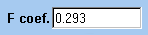
inbreeding coefficient

shows the table including all Breeders, Locations related to the selected horse.


BREEDERS OVERVIEW

The access to the table with Breeders is via a searching window that has the properties as follows:

Breeder

Location

Country

It is possible to enter one or more searching criteria

To search all breeders in the list, enter the wildcard % into any at the fields

After entering the criteria, press

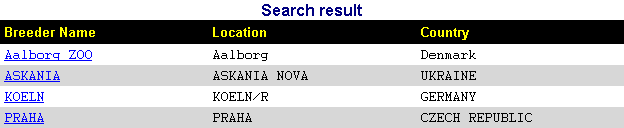
The system will search a breeder or breeders according to the specific criteria and display them in the table below.

Click on a the selected row of a breeder to view detailed information - BREEDER INFO (displayed below the table)


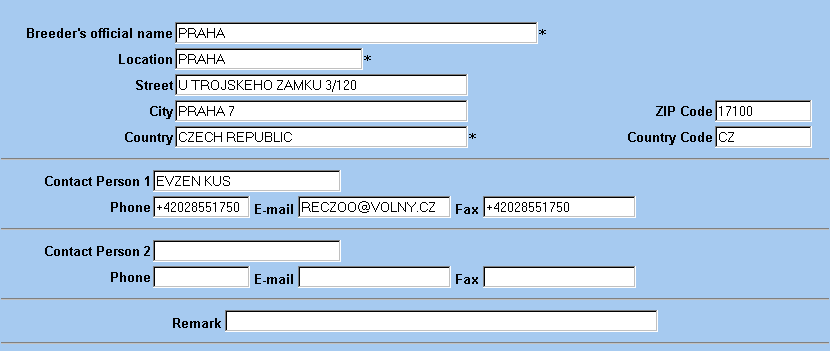
BREEDER INFO


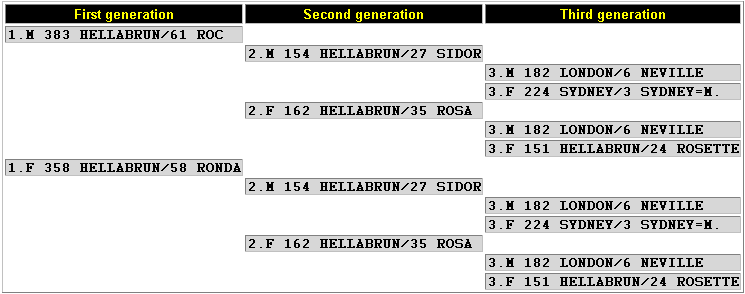
PEDIGREE TREE

The access to the table Pedigree Tree is via:

entering: St.No – Studbook number

After entering the criterion, press

The system will search Pedigree tree according to the specific horse and display it in the bottom part of the screen.
The query window displayes: Sex, St.Name/No, House Name1 and 2, Date of birth, Est - in case that we do not know the

date of birth, and Place of Birth

Below the window, there is the table with Pedigree Tree. House name is displayed too.


Generation, Sex, St.No, St.name/No, House name

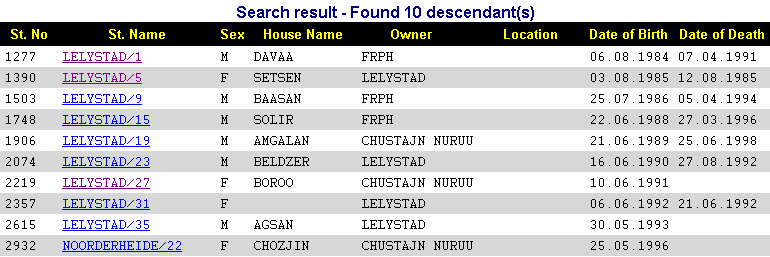


OFFSPRING

The access to the table Offspring is via:

entering:

St.No – Studbook number

After entering the criterion, press

The system will search all offsprings according to the specific horse and display them in the bottom part of the screen.

The query window displayes: Sex, St.Name/No, House Name1, Date of birth, Est - in case that we do not know the

date of birth, Place of Birth, and Owner

Below the window, there is the table with offsprings .Number of offsprings is displayed above the table

Click on a selected row of a horse to view detailed information - STUDBOOK CARD